
A cordless pen dies ninety minutes into a session and the artist reaches for a cable. The cell was fine. Runtime tracks three things at once: the voltage setting, the needle grouping and the cell inside the handle. Listings quote a range for that reason.
Three cells sit in the range with different figures. The Flux MAX pen set lists 229g, a 4 to 12V output and 6 to 10 hours of battery life. The Inkone pen lists 197g with the battery compartment fitted, a 5 to 12V window and 1800mAh, quoted at 5 to 10 hours. The RCA wireless battery pack lists 1100mAh across 5 to 12V. Wenngleich lists all three across its own listings. The hours only compare once the machine and the work match.
What Sets Runtime on a Cordless Machine
Voltage and Needle Grouping
Runtime falls as voltage rises. Hold everything else steady and raise the setting to 12V: the same cell empties sooner.
Needle grouping adds to the load. A wider grouping moves more mass on every cycle, and the motor pays for it. A wide grouping packing colour at 12V is the heaviest combination a cordless machine meets. That combination drains fastest.
Cell Capacity and Machine Weight
Capacity sets the ceiling. The RCA-Funkakku carries 1100mAh across a 5 to 12V working range and weighs 1.27oz, or 36g. The HELLO III wireless power supply lists 1650mAh over a 5 to 12V output. The Inkone pen holds 1800mAh inside a 197g body that includes the battery compartment.
Capacity sets one number in the calculation. That 1800mAh also feeds a motor, a screen and a control board. The Flux MAX pen set weighs 229g for the 4 to 12V output it delivers. Extra capacity usually brings extra weight. The two figures belong in the same decision.
Why the Listing Quotes a Range
Product pages quote a window because the load is variable. Two artists on the same setting get different hours out of one pen because the load differs. The Inkone page puts its own figure at 5 to 10 hours depending on usage.
Plan the day from the lower number. Sessions planned around the low figure rarely end with a cable in reach.
Charging Rules That Keep Cells Useful
Charge Time and Charger Input
Charge time varies with the input. The RCA battery pack lists a recharging time of one hour. The Flux MAX pen set charges through USB-C with a maximum output current of 1A, and the Inkone pen charges over Type-C.
A faster charger loads a cell harder. An hour-long charge leaves a pack warmer than an overnight one, and warmth is what takes life out of a cell over months.
Storage and Partial Charges
Three habits cost capacity. Charging straight after a session while the pack is still warm. Leaving a pack on the charger for days. Storing a spare where heat builds up between conventions.
Topping up a cell is fine. A pack stored near half charge ages better than one left flat or left full. A spare that sat somewhere hot arrives warm and takes a shorter charge. A cell bought and left in a drawer for a year does not improve with the wait either.
What a Spare Battery Buys
A second cell converts a runtime limit into a swap. The Flux MAX pen set ships with two batteries, and the same page quotes 6 to 10 hours for each one. One charged cell in the case while the other works covers a long day.
Spares change weight as well. Two cells add grams to the bag and to the hand. The hand notices by hour six.
Reading the Numbers on a Product Page
Capacity, Voltage Window and Connection
Four fields carry the runtime decision: capacity in mAh, the working voltage window, the connection type and the weight.
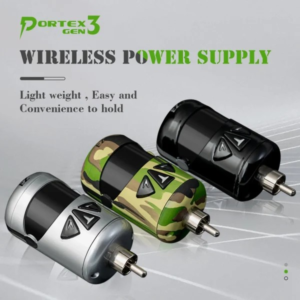
The RCA pack lists 1100mAh, a 5 to 12V working range, an RCA connection and 1.27oz, a weight kept low so the rear of a pen stays light. The Inkone pen lists 1800mAh, a 5 to 12V range, Type-C and 197g with the compartment fitted.
One charged cell in the case, while the other works, covers a long day.
A replacement cell clears four checks before it goes in the bag. The connection has to match the machine. An RCA pack and a Type-C socket take different fittings, and an adapter changes the fit while the balance stays where it was. The working voltage window has to cover the artist’s own setting, so a pack quoted at 5 to 12V serves a machine run inside those figures. Capacity decides how long that setting lasts. Physical size and weight decide how the machine then sits in the hand.
Order against the listing for the machine that will carry the cell. The figures to match sit beside that machine. A pack ordered against a different model still arrives with the same voltage window and the wrong connection.
Weight and Balance in the Hand
Balance decides as much as mass. An RCA pack clips to the rear of a machine, and on a short pen that changes the balance point at the moment the artist adjusts a grip.
Yaba’s note on battery pack compatibility makes the same point: a pack can power a machine and still pull it heavy at the back.
When the Figures Stop Matching the Session
A cell that has aged shows it in the figures. Runtime drops well below the range the machine used to hold on unchanged settings. The pack sits hotter after a charge than it did a year ago, and the display reads full while the machine still sags under load. Rule out the cartridge connection and the board before replacing anything, because Yaba’s note on wireless power problems traces both back to the machine.
Planning a Cordless Day
How Many Cells a Session Needs
Count the hours first. A four-to-six-hour session fits one cell on a machine quoted at 5 to 10 hours, with the voltage kept mid-window. A day of lining at 12V needs a second cell. Ten hours with two breaks fits two cells across most of this range.
Matching the Pack to the Machine
The pack has to fit the machine. Connection, voltage window and physical size decide which pack serves which machine. Check all three before ordering. A studio booking sessions back to back keeps cells the way it keeps cartridges: two charged on the shelf while one works.
Abschluss
Runtime comes out of voltage, needle grouping and capacity, and a listing quotes the middle of that behaviour. Read capacity, voltage window and weight as one set, plan the day from the lower hour figure, and keep a second cell charged.
Häufig gestellte Fragen
Q1: How long does a wireless tattoo machine battery last on one charge?
A1: It depends on the machine, the voltage and the needle grouping. Yaba quotes 6 to 10 hours for the Flux MAX pen set inside a 4 to 12V output, and 5 to 10 hours for the 1800mAh Inkone pen inside a 5 to 12V window, with the low end as the figure to plan around.
Q2: Can any RCA battery pack run any wireless machine?
A2: Power and fit are separate questions. The connection has to match, the working voltage window has to cover the artist’s setting, and the pack still changes how the machine sits in the hand. Check all three on the listing for that machine.
Q3: How do I know when to replace a battery instead of charging it?
A3: Runtime that falls well below the range the machine used to hold on unchanged settings, a pack that sits hotter after a charge than it did a year ago, and a full display with the machine still sagging under load. Rule out the cartridge connection and the board first.